 Back Go back to the Mechanics page.
¶ Normal mechanics
| Action | Button |
|---|---|
| Blink | B |
| Movement | WASD |
| Sprint | L-SHIFT |
| Toggle Crouch | L-CTRL |
| Open Console | Fn+F3 on laptops with Fn keyF3 |
| Pause | ESC |
| Inventory | TAB |
| Action | MOUSE1 |
| Save | F5 |
¶ Blinking
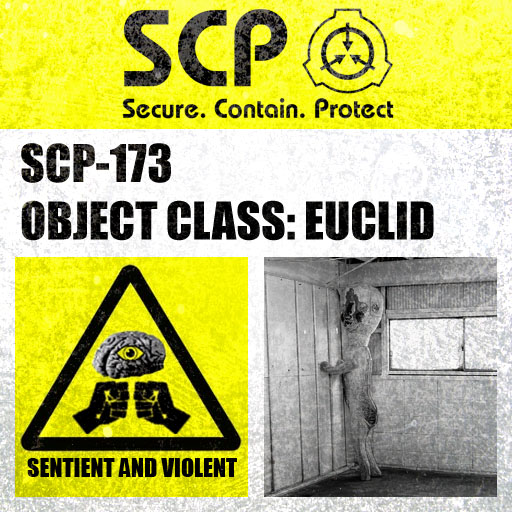 Blinking serves as a fundamental mechanic in the game, monitored through the blink bar on the HUD. This mechanic holds crucial importance, particularly when facing SCP-173, as the creature advances with each blink. Manual blinking can be executed by pressing the spacebar, offering players a means to control their interactions with SCP-173. Additionally, holding down the spacebar allows the player to shut their eyes for an extended duration, proving advantageous when dealing with SCP-096.
Gas is a recurring element in the game, accelerating the blink rate due to eye irritation. Wearing a gas mask is advisable to mitigate eye discomfort. However, caution is warranted, as SCP-173 often appears in areas contaminated by gas. Players should exercise vigilance when traversing through gas-filled environments blindly.
To counteract the accelerated blink rate caused by gas, players can discover ReVision Eyedrops. These items, when upgraded through SCP-914's "Fine" or "Very Fine" settings, offer varying benefits. "Fine" eyedrops extend the duration of the effect, while "Very Fine" eyedrops, although significantly slowing blink depletion, carry the risk of causing temporary blindness and eye discomfort.
In summary, mastering the blink mechanic is essential for survival, requiring players to strategically manage their blinks and utilize protective measures, such as gas masks and eyedrops, to navigate the hazardous environments populated by SCP entities.
¶ Sprinting
Sprinting is a fundamental game mechanic governed by a stamina bar, prominently displayed in the HUD. This bar, often referred to as the sprint bar, plays a crucial role in managing the player's exhaustion levels throughout the game. By holding down the Shift key, players can activate the sprint function, enabling rapid movement. It is recommended to employ sprinting judiciously, primarily when evading SCP entities or Mobile Task Forces (MTFs).
The stamina bar serves as a vital resource, depleting as the player sprints and gradually regenerating during periods of inactivity. However, an intriguing twist to this mechanic emerges when utilizing a gas mask upgraded in SCP-914 on the "Fine"/"Very Fine" setting. This upgrade grants the player access to unlimited sprint, effectively nullifying the stamina bar. This feature proves invaluable, offering enhanced mobility without the constraints of stamina depletion.
In summary, sprinting serves as a strategic tool for evading threats, and the gas mask upgrade provides a unique advantage by eliminating the need to monitor and manage stamina during critical moments in the game.
¶ Crouching
Crouching is an integral mechanic introduced in version 0.6 of the game. Its primary functions are to conceal the player from the Mobile Task Force (MTF) and prevent detection by SCP-106, particularly in the grated hallway where SCP-106 commonly appears. By pressing the Ctrl key on default controls, players can initiate the crouch stance.
The benefits of crouching extend beyond mere concealment. Crouch-walking, a subtler form of movement, allows players to navigate without alerting SCP-939 through sound. This becomes particularly advantageous in scenarios where stealth is paramount. However, it's important to note that crouching results in slower movement, and the player's viewpoint shifts to a lower perspective.
In essence, the crouching mechanic not only facilitates evasion from specific entities but also introduces an additional layer of strategy, requiring players to balance visibility, speed, and sound to navigate the hazardous environment effectively.
¶ Inventory
 The inventory system can be accessed by pressing the Tab key, offering players a comprehensive view of their collected items. The inventory provides a space for up to ten items, allowing for strategic management of resources.
To manipulate items within the inventory, players can click and drag them out of their designated boxes. This action enables the dropping of items, creating space for additional ones as needed. This dynamic system empowers players to adapt their inventory to the evolving demands of the game.
A notable feature involves batteries, which can be dragged out of their designated slots and dropped onto S-Navs and radios within the inventory. This action initiates the recharging process, ensuring that these electronic devices have sufficient power for use in critical situations.
In summary, the inventory system is a vital aspect of gameplay, enabling players to organize, utilize, and adapt their item selection as they navigate the challenges presented within the facility.
¶ Injury System
 When the player encounters a threat that does not kill them instantly, they will begin to bleed. This injury system will affect the player over time, causing them to wobble when walking, blurred vision, and slower movement. The severity of the wounds and/or their placement will affect how much the player bleeds. If the player bleeds for long enough, they will die. Using a first aid kit, SCP-500, or Eyedrops from SCP-914's "Fine" setting will alleviate blood loss. The only way to alleviate the wounds is by using a first aid kit, or SCP-420-J.
¶ Hud
 The Heads-Up Display (HUD) provides essential information through bars located on the lower left of the screen. The blink bar consistently depletes over time, reflecting the need for strategic management of blinking. On the other hand, the stamina bar only diminishes when the player engages in sprinting, emphasizing the importance of judicious use of this feature.
Situated at the top left of the screen is the FPS (Frames Per Second) counter, offering real-time feedback on the game's performance and ensuring players have a smooth gaming experience.
For those who prefer a more immersive gameplay experience, the HUD can be deactivated by adjusting the 'HUD enabled' setting to 0 in the options.ini file. This customization option allows players to disable the HUD without affecting core functionalities, offering a more minimalistic and immersive perspective on the game.
In summary, the HUD serves as a crucial tool for players to monitor their blinking and sprinting status, while the FPS counter provides insights into the game's performance. The ability to toggle the HUD on or off adds a layer of customization to accommodate various player preferences.